


I tested five AI web development tools to uncover if they truly deliver on their hype. In this article, I share my findings on the most effective tools and their suitability for commercial use.
AI Web Development Tools: Key Points
Wix ADI and Appy Pie feature drag-and-drop AI builders, ideal for business owners who need fast, mobile-ready sites without writing a line of code.
GitHub Copilot and Claude Code supercharge dev productivity with real-time code suggestions, automated debugging, and multi-file editing.
Loveable delivers full-stack apps from a single prompt, combining instant GitHub sync and visual editing.
Top AI Web Development Tools Reviewed
AI builders don’t just speed up websites — they fast-track your entire launch. Below are the tools I put to the test. Some draft full sites with a single sentence, others dive into your repo and clean house like seasoned devs.
| Tool | Best for | Real-time editing | AI-generated backend | Git integration | Price (starting at) |
| Wix ADI | Real-time visual customization | ✅ | ❌ | ❌ | Free tier available |
| GitHub Copilot | Automatic code reviews | ❌ Offers code suggestions, not visual editing |
✅ | ✅ | Free tier available |
| Loveable | Prompt landing pages or MVPs | ✅ | ✅ | ✅ | Free tier available |
| Claude Code | Short coding sprints in smaller codebases |
❌ Terminal-focused editing; no visual preview |
✅ | ✅ | $17/month |
| Appy Pie | No-code site creation | ✅ | ❌ Limited to no backend scripting |
❌ | $36/month |
1. Wix ADI: Best for Real-Time Visual Customization

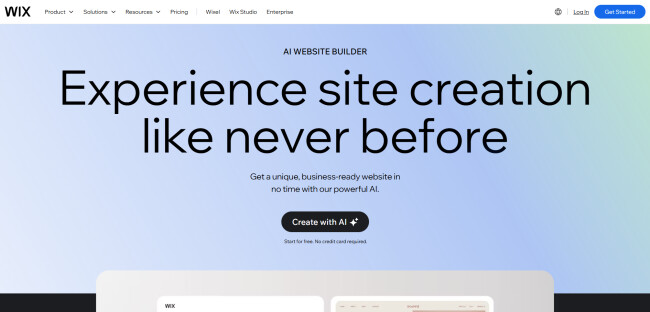
Wix’s ADI website builder claims to turn the complex process of building a website into a fast and highly customizable experience. After testing it firsthand, I can vouch for these qualities, while offering a surprising amount of customization control.
| Pros | Cons | Pricing |
|
|
|
From the onset, Wix delivered facilitated simple creation process. I clicked the “Create with AI” button, entered the basics about my site i.e., its purpose, audience, and preferred design, and within moments, the AI generated a personalized brief.
The AI considered my inputs and mapped out everything from the site structure to the initial look and feel, offering a solid foundation to work with.


After the AI generated my site, the customization journey began, and this is where Wix leaves an impression. Using the layout shuffling feature, I could experiment with different page structures and instantly preview how they affected the flow of content.
The platform’s AI lets you fine-tune the design to your specific needs. I could easily play with color schemes, fonts, and themes until I found a good match for my brand. And if you’re feeling uninspired, there’s a library of over 900 website templates to choose from.

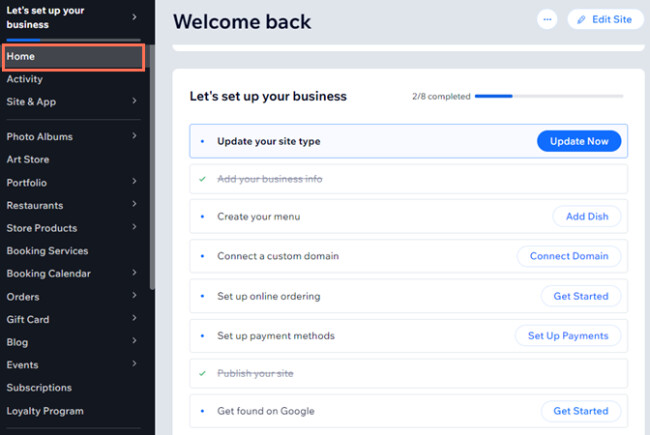
The tool also allows you to update the content in real-time, be it tweaking a few lines of copy or entirely rewriting a section to reflect your brand voice. I was able to experiment with different tones and phrasing without breaking a sweat.
But the real standout here was the image generation tool. Rather than spending hours hunting for stock images that fit a specific look or feel, the tool conveniently offered to generate high-quality images directly within the platform, saving me the hassle of navigating external libraries.
Star with Wix ADI for free. No credit card required.
Wix also takes the guesswork out of mobile optimization. The platform automatically ensures your site is responsive across devices, so no more worrying about how it will look on smaller screens.
For businesses targeting international markets, the platform also supports multilingual functionality, wherein users can add a language selector, auto-translate content, and even adjust translations manually where necessary.

What Users Say
Users appreciate Wix’s AI website builder for its ease in creating layouts. Many find it helpful for initial site setup, particularly with its ability to assist in designing responsive mobile layouts and offering customization options for typography and interactive elements.
The platform’s drag-and-drop interface and the flexibility to upload custom fonts also receive praise from more design-conscious users.
However, there are criticisms as well. Some users feel the platform can be complex, especially when it comes to making sites fully functional and responsive across different screen sizes.
The AI often provides a good starting point but requires additional manual effort to complete the site, with some users noting that it doesn’t fully address certain tasks like improving SEO or scaling designs for larger screens.
Who’s It For?
Wix is suitable for business owners who want an easy way to create and manage an online presence without needing technical expertise. It also works well for creative professionals, such as photographers or writers, looking to showcase their work with customizable templates.
In general, the platform is a solid option for anyone who seeks to build a site quickly using a simple drag-and-drop interface, regardless of coding experience.
Other Notable Features
- Free web hosting, entailing up to 500MB storage and 1GB bandwidth
- 24/7 customer support
- Built-in business solutions (scheduling, eCommerce, event management)
- Integrated CRM tools, email marketing, and SEO support
- Ability to personalize site post-launch using the Wix Editor
- Full creative control over every site element


Explore The Web Development Companies
Agency description goes here
Agency description goes here
Agency description goes here
2. GitHub Copilot: Best for Automatic Code Reviews

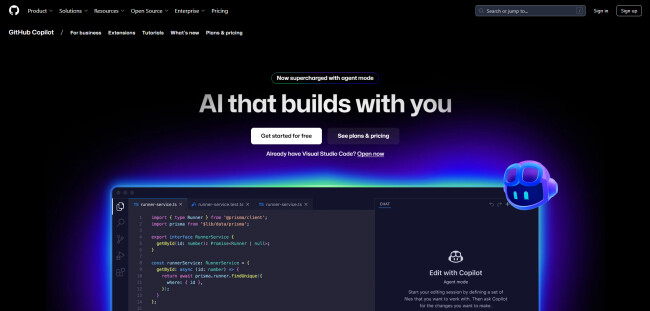
GitHub Copilot is an AI-powered code completion tool, designed to assist developers by offering context-aware code suggestions. Developed in collaboration with OpenAI, it’s intended to streamline the development process and boost overall productivity.
| Pros | Cons | Pricing |
|
|
For individuals
For businesses
|
Starting with GitHub Copilot was fairly easy. After installing the extension in Visual Studio Code, I began testing its capabilities.
The AI suggested code completions in real time, offering entire lines and blocks of code based on the project context. It was impressive how quickly it picked up on the project’s structure, even across complex coding tasks.
For example, when tasked with adding a new component, it generated a clean, functional boilerplate in seconds. The suggestion included all the necessary methods, such as functions to handle changes in the input field and the addition of a new item to a list.
GitHub Copilot has a free tier. Try it out today.
Throughout the process, Copilot suggests more efficient or cleaner alternatives to improve the quality of the code. It also has a chat function wherein you can communicate with the AI to ask questions and get suggestions without leaving your development environment.
In one of the sessions, I asked Copilot to build a new component with specific functionality. It not only wrote the code for me but also made suggestions for improving the structure, such as adding a new property to handle item additions more smoothly.

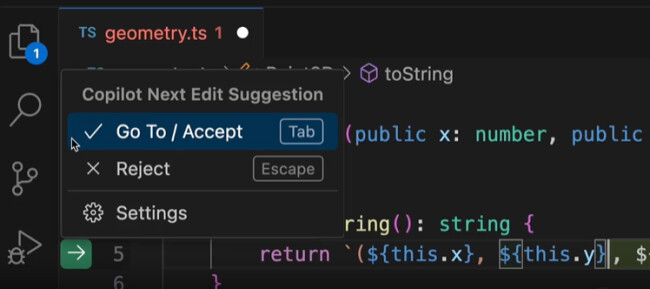
I also tested how Copilot could autonomously manage tasks like bug fixing, code reviews, and updating documentation. After assigning an issue, Copilot worked in the background to complete the task, running tests and creating a pull request when the task was finished.
I must note that one of the most useful aspects of the tool was its ability to maintain a consistent coding style. Its suggestions were always aligned with the project’s existing style, which reduced the inconsistencies and time spent on manual code reviews.

What Users Say
The public sentiment surrounding GitHub Copilot’s website builder is mixed, with users expressing both appreciation and frustration.
Many developers recommend Copilot for its ability to assist with repetitive coding tasks and boilerplate, praising it for being a valuable tool for handling simpler code.
However, concerns are raised about its limitations when dealing with complex logic or domain-specific coding, where Copilot often struggles to understand the broader context of an application, leading to less reliable suggestions.
While Copilot’s autocomplete functionality is widely recognized for streamlining development, some users caution that it can result in messy or error-prone code. There are complaints that, although it boosts coding speed, the outputs often require manual intervention to fix or refine.
Who’s It For?
GitHub Copilot is a good match for developers who frequently deal with repetitive, boilerplate-heavy tasks or need quick code completions to speed up their development workflow.
The tool excels in scenarios where developers are working with familiar technologies and need to efficiently handle tasks like writing configuration files, generating simple function templates, or performing basic CRUD operations.
Development teams who appreciate the convenience of autocompletion and need assistance with writing standardized code across multiple files or projects will benefit the most from Copilot’s capabilities.
Other Notable Features
- Real-time code suggestions based on context
- Supports a wide range of programming languages
- Continuously improves through community-driven learning
- Supports integration with popular IDEs
- Command-line support for code assistance
- Automatically generates pull request descriptions
Receive proposals from top web development companies. It’s free.
GET STARTED
3. Loveable: Best for Prompt Landing Pages or MVPs

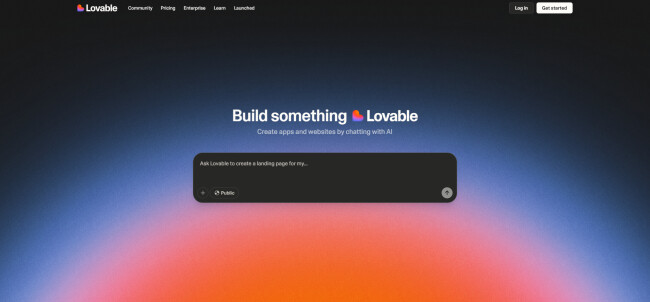
Loveable is an AI web app builder poised to eliminate the need for manual coding. Through natural language prompts, it allows users to generate fully functional, aesthetically sharp web solutions in minutes.
| Pros | Cons | Pricing |
|
|
|
To evaluate its capabilities, I tried creating a landing page from scratch. I began by describing the purpose of the site, the visual tone I was aiming for, and a few key sections I wanted included, such as services, testimonials, and a download CTA.
Within moments, Loveable presented a complete, well-structured layout tailored to those inputs.


One of the core features I explored was live customization. I could click any element, like a hero banner or feature block, and edit it through a simple text prompt. The Select & Edit functionality gave me precise control over visuals and copy.
Another standout was the live rendering environment. Every change rendered instantly, with support for undo, image uploads, and even collaborative branching.
The platform also handles bug fixing via AI, which corrected layout glitches without intervention.
In terms of backend support, for users who prefer Git-based workflows, there’s native GitHub integration that syncs generated code directly to your repository.
Build your webpage with Loveable, for free.
From a developer’s perspective, the code Loveable generated was modern and clean — React, TypeScript, and optimized CSS frameworks. I didn’t have to tweak anything manually for performance; the tool comes with built-in image optimization, lazy loading, and auto code-splitting.
On the deployment side, going live is one click. SSL is automatic, and hosting was instant. Loveable also integrates in SEO best practices, which showed in how metadata and headings were structured. These subtle but essential optimizations help avoid typical post-launch adjustments.
Lastly, design. It genuinely felt like using a designer — each section followed solid UX/UI principles. Components were balanced, typography consistent, and spacing intuitive. Overall, it was polished.

What Users Say
Public sentiment around Loveable is generally mixed, though leans slightly positive. Many users appreciate its speed and simplicity, particularly for rapid prototyping and MVP development.
The no-code approach is frequently praised, especially by freelancers and startups looking to build landing pages or full sites without deep technical expertise. Features like GitHub integration and Supabase support also earn positive mentions among developers who want more extensibility.
That said, concerns persist. A notable number of users report bugs and performance lags when handling more complex builds. Some cite issues with prompt limitations and inconsistent output when providing detailed instructions.
Complaints about limited backend functionality and underwhelming customer support also surface.
Who’s It For?
Loveable’s AI web builder is a good match for freelance developers who need to spin up MVPs or prototypes quickly. It’s equally handy for startup founders looking to validate ideas fast, without pulling in a full dev team.
IT managers would also benefit from the tool’s ability to move fast without waiting on traditional dev cycles. For frontend developers who want to scaffold backend logic without wrestling with server-side code, it offers just enough abstraction without losing control.
Other Notable Features
- Full-stack app generation from a single prompt
- GitHub integration for code export and version control
- Access to and edit full source code with Dev Mode
- Ability to import content directly from Figma
- Template library for landing pages, apps, and dashboards
- Supports advanced logic like CRUD, auth, and data relationships
- Developer ownership of codebase
4. Claude Code: Best for Short Coding Sprints in Smaller Codebases

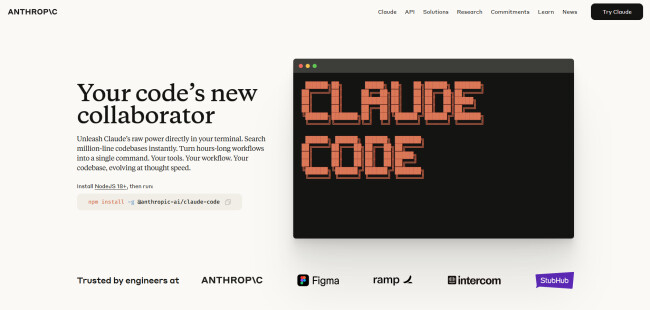
Claude Code is a terminal-based coding assistant from Anthropic that allows users to access info pertaining to their codebase and generate code through written text prompts. It’s built for devs who want tight AI integration directly in their terminal, without toggling or overhead.
| Pros | Cons | Pricing |
|
|
For individuals
For businesses |
From the very beginning, Claude Code’s context-awareness capabilities stood out. The tool could grasp the structure and dependencies of the codebase without requiring manual file selection.
The first thing I explored was its agentic search. Through natural-language queries, I was able to ask questions about the code architecture and locate logic across multiple files.
This became particularly useful when searching through a large repo, i.e., millions of lines, and getting fast, accurate answers that respected existing patterns and structure.

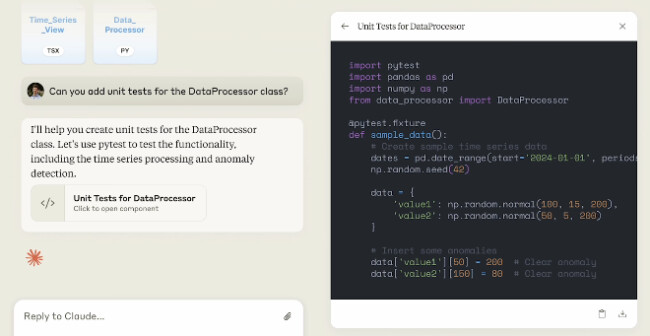
I also tested Claude’s ability to make coordinated edits across files by prompting a feature addition that involved routing, state updates, and test integration. The tool generated relevant changes across several files while preserving naming conventions and logic flows.
I appreciated that it asked for approval before making changes and never writing without my consent.
Claude Code’s packages start at $17. Check them out.
Another great quality was how natively it handled GitHub and GitLab workflows. I requested to analyze an issue and write a fix; it responded by proposing a solution, running tests, and preparing a PR.
Another key moment was debugging and test creation. The AI web development tool found broken logic and rewrote tests to cover edge cases. It ran them, caught failures, and suggested fixes with clear reasoning.
The one caveat? It’s not free. You’ll need a Claude Pro or Max subscription, or an Anthropic Console account. But if you’re working in large or fast-evolving codebases, the time saved may outweigh the cost quickly.

In the context of free vs. paid AI tools, we touched ground with Andrew Juma, CEO of CustomWriting, whether the free ones often rival the output of a paid one? Here’s his take:
“Yes, in specific cases. A free AI tool that serves one function, such as image generation, performs better than paid counterparts. It happens if the free tool is specifically optimized for one particular task.”
What Users Say
Public reaction to Claude Code is largely enthusiastic, especially among developers who’ve tested it on real projects. Many praise how it enables rapid prototyping and end-to-end development from the terminal, without the need to dig into documentation or manually inspect codebases.
There’s a strong sense of excitement around its ability to handle full applications, refactors, and even structured workflows at an accelerated pace.
That said, several experienced developers point out risks with over-reliance, especially when users don’t fully review Claude’s output. Concerns include redundant or messy code, critical context loss during large-scale edits, and occasional inability to handle complex or native frameworks.
Others note that while it excels with smaller tasks or unfamiliar code, it’s not yet a full substitute for skilled engineering in more intricate builds.
Who’s It For?
Claude Code is a good match for developers working in large, complex codebases who prefer terminal-based workflows. It suits engineers who want intelligent help with debugging, testing, refactoring, and Git operations, without switching tools or feeding manual context.
The AI web development tool is especially useful for backend and full-stack developers who manage multi-file systems.
Other Notable Features
- Direct API connection to Anthropic servers
- Persistent awareness of project structure
- Executes code edits and commits directly
- Operates entirely within the terminal
- Compatible with Mac, Linux, and Windows via WSL
5. Appy Pie: Best for No-Code Site Creation

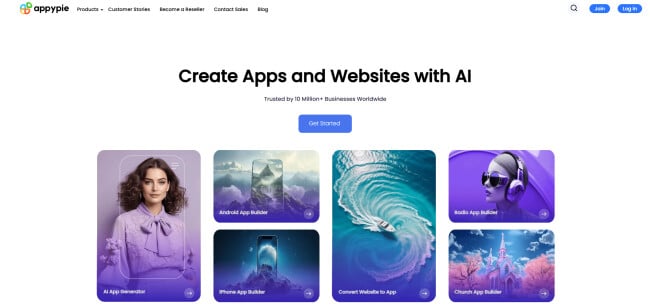
Appy Pie is an AI-powered no-code platform envisioned to help anyone build professional websites, apps, and chatbots without a line of code.
| Pros | Cons | Pricing |
|
|
|
The process began with three basic steps: entering my business name, selecting category and color theme, and signing up. The interface was quite intuitive as everything operated through drag-and-drop functionality.
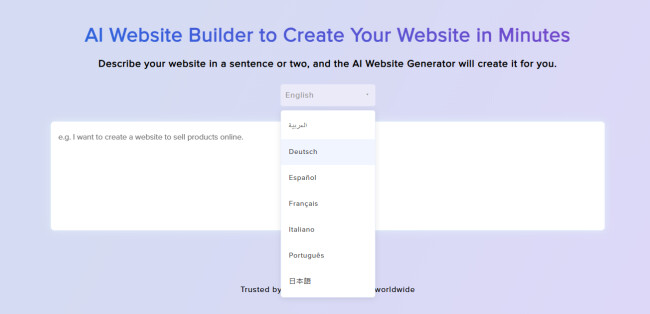
An added convenience is that if you are a non-fluent English speaker, the platform supports 7 other languages you can write the prompts in.
Appy Pie features templates for various site categories: eCommerce, blog, dating, restaurant, social media, Web3 site, and more. Each category comes with purpose-built features into the design.

An interesting feature was the offline mode. Namely, Appy Pie lets you build sites that remain functional even if your connection drops, which is a rare sight in low-code platforms.
Add to that the real-time update system, which meant every change I made in the builder reflected instantly on the live preview.
Customization was more detailed than I expected. Fonts, layouts, icons, logos, color palettes — everything was tweakable. I didn’t feel boxed in by templates.
See which Appy Pie package fits your need.
Appy Pie also offers 85+ feature blocks, which I could selectively activate to tailor the experience: contact forms, chat support, social integration, blog posts, and more.
Another noteworthy tool was the ChatGPT-powered chatbot builder. I only briefly tested it, but the ability to embed conversational AI into a site without writing any backend code is a serious plus for businesses looking to automate support.
What Users Say
The feedback of Appy Pie’s AI-powered website builder is largely positive, especially among non-technical users and small business owners.
Many commend its accessibility and intuitive drag-and-drop interface, with several reviewers highlighting how quickly they were able to build functional websites or apps without any prior coding knowledge.
On the other hand, criticisms often center around the platform’s limitations in customization and functionality. A number of users mentioned that the final output can feel generic, with a restricted range of layout options and underwhelming design flexibility.
Several point out technical hiccups during publishing or difficulty removing unwanted default features. More advanced users were also frustrated by the lack of robust backend or API integration, noting the platform falls short when building beyond basic applications.
Who’s It For?
Appy Pie’s website builder is a strong match for solopreneurs, side hustlers, educators, and early-stage startups that need a professional online presence but don’t have the budget for full-stack developers or design agencies. It also suits non-technical users who value simplicity over granular control.
On the other hand, businesses building niche platforms with advanced feature sets or custom backend logic might find the platform limiting. But for lightweight business sites, prototypes, portfolios, or basic eCommerce projects, it offers a low-friction, beginner-friendly way to get started.
Other Notable Features
- AI tools like chatbot and voice recognition
- Cross-platform app deployment
- Integration with major marketplaces and services
AI Web Development Tools: Final Thoughts
AI web development tools have moved well past novelty — they’re now practical site building accelerators. From drag-and-drop simplicity to full-stack code generation, the best platforms share a common perk: the power to reduce friction between an idea and its execution.
These tools lower the barrier for individuals and teams who previously needed developer resources to get started. That said, they’re not yet replacements for expert developers or custom workflows, but as co-builders, they’re already proving their worth.
If you are someone who still prefers traditional development over AI tools, but don’t have the in-house capacity, a specialized agency is the way to go.


Our team ranks agencies worldwide to help you find a qualified partner. Visit our Agency Directory to find top web development companies, as well as:
- Top Software Development Companies
- Top Mobile App Development Companies
- Top Front End Web Development Agencies
- Top React.JS Development Companies
- Top WordPress Development Companies
Our design experts also recognize the most innovative website design projects across the globe. Visit our Awards section to see the best & latest in website design.
Get proposals from top-rated web development companies, hassle-free.
GET IN TOUCH
AI Web Development Tools: FAQs
1. Can AI web development tools build fully functional websites without coding?
Yes, many AI tools offer no-code or low-code solutions that let users build functional websites using drag-and-drop interfaces or natural language prompts. They often include prebuilt components for forms, eCommerce, SEO, and mobile responsiveness.
2. How do AI website builders handle customization and design flexibility?
Most tools provide a range of templates and AI-assisted design suggestions, with the option to manually tweak layouts, fonts, colors, and images. However, flexibility can vary as some platforms may limit advanced customization unless you access the underlying code.
3. Are AI web development tools suitable for commercial or business use?
Yes, many tools support commercial needs like online stores, booking systems, or blogs with monetization options. Just make sure the platform supports scalability, security, and domain management before going live.
link